Editor scrolling on save in WordPress
WordPress has a good editor, in my opinion, this editor has obvious inconveniences.
Every time, when you save a message, editor scroll position will be on top again. If you want to keep writing a long post, it will take you a lot of time, until you find the old cursor position.
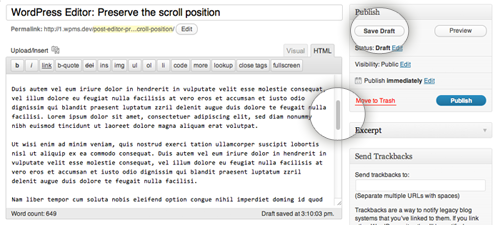
To avoid this, I found a code snippet on the Internet, which I want to share with you.
', esc_attr( $position ) ); // Print Javascript data add_action( 'admin_print_footer_scripts', array( __CLASS__, 'print_js' ), 55 ); // Print after Editor JS. } /** * Extend TinyMCE config with a setup function */ public static function extend_tiny_mce( $init ) { if ( 'tinymce' == wp_default_editor() ) $init['setup'] = 'rich_scroll'; return $init; } /** * Returns redirect url with query arg for scroll position */ public static function add_query_arg( $location ) { if ( ! empty( $_POST['scrollto'] ) ) $location = add_query_arg( 'scrollto', (int) $_POST['scrollto'], $location ); return $location; } /** * Prints Javascript data */ public static function print_js() { ?>At the end, as always, some delicious. I suggest a plugin with a similar action Preserve Editor Scroll Position.